

MEGA is a cross-platform application for Windows, macOS, Linux, Android, and iOS computers that allows you to use 50GB of storage (so-called cloud storage) for free. Only you have access to the music, videos, audiobooks, photos, and other documents uploaded to MEGA.
MEGA features
- Quick discovery and viewing of all the files uploaded to the cloud storage.
- Fast synchronization of your device with your computer and other gadgets.
- All the usual operations with files: adding, renaming, deleting them, moving them to other folders and creating new folders, etc.
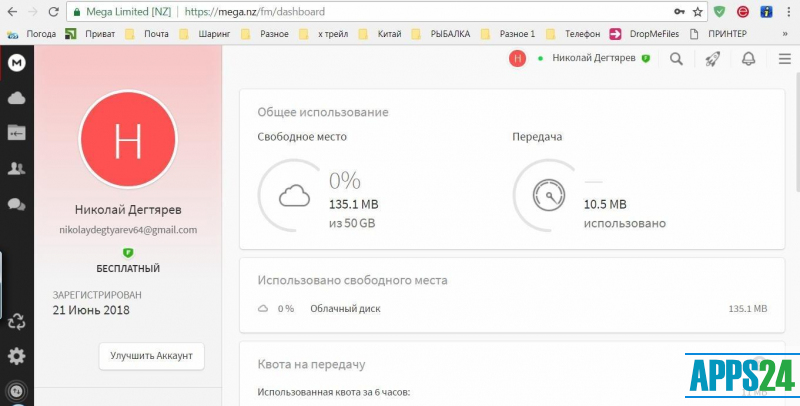
- A clear reflection of the space available on your device and in your storage.
- MEGA browser extension available.
- MEGA email and MEGA chat.
Installation of the MEGA program
Before installing the application, please register at mega.nz. The installation of the application on your computer is no different. After downloading MEGA from Google Play or the App Store (depending on the version of the program its weight varies between 10.1Mb and 10.3Mb) install it on your device by following the installation prompts.
More features
Free MEGA gives you a big enough storage capacity for your files - 50 Gb. But if that's not enough for you, you get 4 Terabytes of storage space for a monthly fee (around 8.5 Euros per month). In addition, you can transfer up to 96 terabytes of information each month: this service is also included in the paid monthly MEGA package.
What's new in the latest version 6.3.1.0
Updated
- Bugs affecting the application’s performance have been fixed, and overall stability has been improved.
- Compatibility with Windows and certain file synchronisation scenarios has been improved.
- Performance has been optimised for data transfer and working with large files.
- Refinements have been made to the interface and the programme’s overall responsiveness.


Add comment