Total Commander v.11.56

Icon Total Commander
Average rating
100% - 1 vote
The most popular file manager for windows
Windows
Version: 11.56
Download for PC

Total Commander, formerly Windows Commander, is one of the most functional and popular file managers.

Initially, the program was designed only for Windows, but now, thanks to the emergence of special plug-ins file systems it can be used by owners of devices based on Linux, PocketPC and so on.

The manager supports FTP and with the help of a built-in client can automatically perform downloading, transfer files from one remote device to another. The program provides fast media and text files viewing, advanced search, command line and most popular archives. Another plus is the compatibility of most of its hotkeys with Volkoff/Norton Commanders. Recent versions have added a function to add comments to files.

Total Commander features and advantages

  • multilingual GUI interface, divided into two interconnected panels;
  • keyboard functions as close to the original as possible;
  • Multiple customizable toolbars and menus with buttons that run external programs or internal commands manager, the ability to extend the functionality by connecting plug-ins;
  • the ability to work with archives on the same principle as the subdirectories;
  • internal unpackers for the most common formats;
  • advanced file search and group renaming.

What's new in the latest version 11.56

Updated 21 February 2026
  • Improved support for archives with new formats and improvements in working with already supported file types.
  • Optimised FTP and SFTP support, including bug fixes and improved performance.
  • New interface customisation options have been added for more flexible personalisation.
  • Expanded integration capabilities with cloud services, including automatic data synchronisation.
  • Bug fixes and improved stability when running multiple tasks simultaneously.
  • The built-in text editor has been updated with new code and text handling features.
  • New hotkeys and commands have been added to speed up work with the programme.
Total Commander FAQ

How do I install Total Commander on Windows?

How do I change the interface language in Total Commander?

How do I configure hotkeys in Total Commander?

How do I copy files between panes?

How do I customise the toolbar in Total Commander?

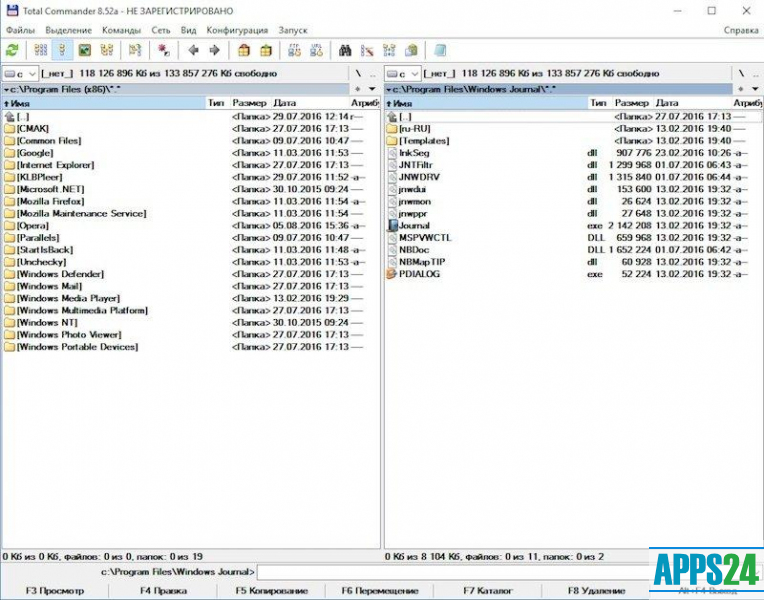
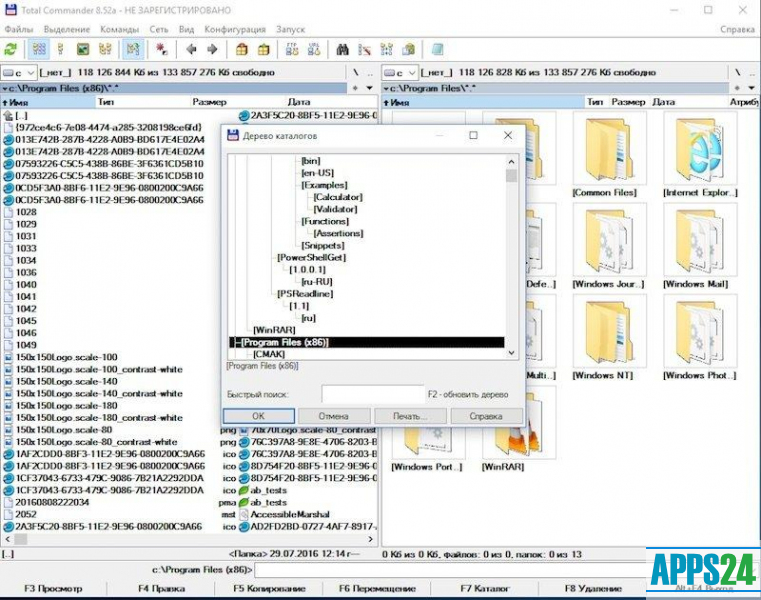
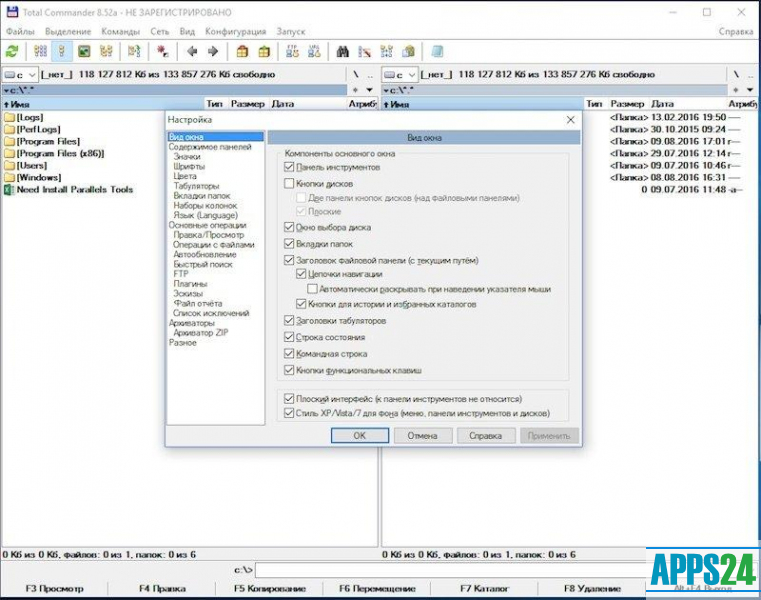
4 screenshots Total Commander

Additional Information
Developer
License
Freeware
Age restrictions
0+
Category
Updated
21 February 2026
Current version
11.56
Compatibility
Windows 11, 10, 8.1, 8, 7, Vista, XP
Bit mode
32+64 bit

Total Commander for Windows

Try some more of these programs for PC
Average rating
100% - 1 Vote

Synchronize your files with simplicity and reliability

v.14.6
Average rating

powerful FTP and cloud storage client

v.8.5.9
Average rating

Synchronize Samsung devices with your PC

v.4.2.21075.3
Average rating

File manager for Apple product owners

v.4.4
Average rating
100% - 1 Vote

For a computer (file transfer via Wi-Fi)

v.5.1.0.7
Average rating

Great free FTP client

v.3.2.6
Average rating

Free advanced file manager

v.17.40.0100
Average rating

Free file manager with advanced functionality

v.1.3.5
Average rating

Efficient free file manager for Windows

v.11.6.0
Average rating

Free, cross-platform, file manager

v.0.9.2
A43
Average rating

Alternative file manager for Windows

v.3.90
Average rating

Application for copying and transferring data at high speed

v.3.26

Top Rated Apps

Average rating
100% - 1 Vote

Synchronize your files with simplicity and reliability

v.14.6
Average rating
100% - 1 Vote

Utility to control your iPhone and iPad

v.4.5.0.5
Average rating
100% - 1 Vote

For a computer (file transfer via Wi-Fi)

v.5.1.0.7
Average rating
100% - 1 Vote

The most popular file manager for windows

v.11.56
A43
Average rating

Alternative file manager for Windows

v.3.90
Average rating

Great utility for transferring datto Apple devices

v.8.8.2
Reviews and Comments

Add comment

Submit